

 Talkfever App
 Global Talk
 Upcoming
 child-safety
 Vdo Junction
How to Convert Logo to PES Embroidery File for Perfect Stitching
Introduction
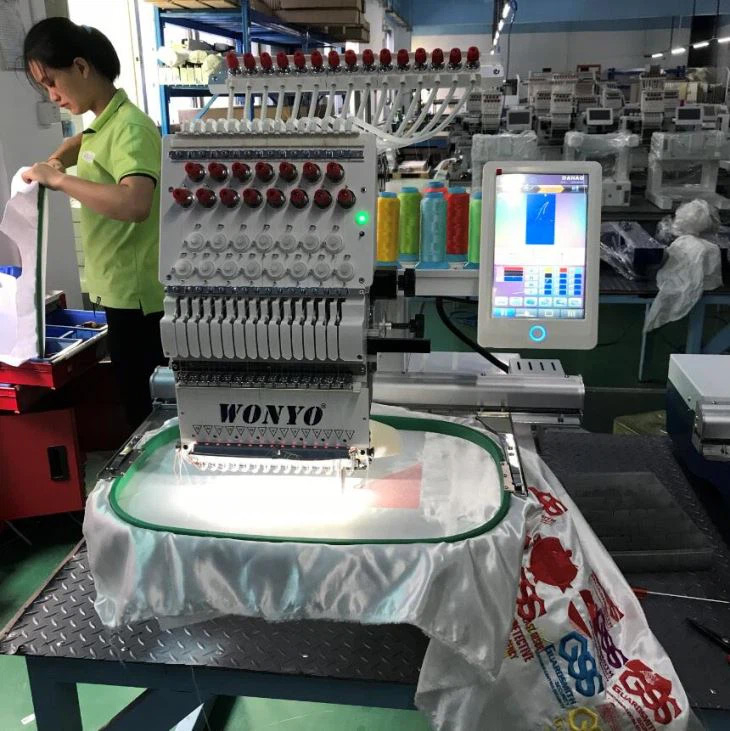
You have a logo that defines your brand, and you’re ready to see it stitched on a cap, polo, or bag. You load an image onto your Brother embroidery machine, hit start, and brace for disappointment. The result is often a puckered, blurry mess that looks nothing like your crisp digital file. This common frustration highlights a crucial truth: your embroidery machine doesn't understand images. It understands only specific, coded instructions. To bridge this gap, you must Convert Logo To PES Embroidery File. This process, known as digitizing, is the essential translation that turns your visual artwork into a stitch-by-stitch blueprint. Doing it correctly is the singular most important factor in achieving clean, flat, and professional stitching. This guide will walk you through the why, the how, and the pro secrets to ensure your logo stitches out perfectly every time.
What You're Really Doing: It's Translation, Not Conversion
First, let's reframe the task. You aren't simply changing a file extension like converting a Word doc to a PDF. You are translating between two completely different languages.
Your logo file (JPG, PNG, AI) is in the language of visual design. It uses pixels or vectors to describe color and shape for the human eye.
A PES file is in the language of mechanical instruction. It is a set of thousands of commands that tell your Brother machine:
-
Where to move the needle (in tenths of a millimeter).
-
What type of stitch to make (satin, fill, run).
-
The exact sequence to follow.
-
When to trim the thread.
-
How to compensate for the physical pull of thread on fabric.
A perfect stitch requires a perfect translation. A poor translation—like using an auto-converter—leads to garbled, nonsensical instructions that your machine faithfully executes into a mess.
The Three Paths to a PES File: Choosing Your Method
You have three main routes to get your PES file, each with trade-offs in cost, time, and quality.
Path 1: The Professional Service (Recommended for Quality)
This is the most reliable path to perfect stitching. You send your logo to a specialized digitizing service staffed by experts.
-
How it works: You upload your logo, answer a few questions (crucially, "What fabric is this for?"), and pay a fee. A human digitizer analyzes your design and manually creates an engineered PES file tailored to your fabric.
-
Pros: Guarantees professional quality. Includes fabric-specific settings, proper underlay, and pull compensation. Highest first-time success rate.
-
Cons: Costs more than automated options ($15-$50 typically).
-
Best for: Businesses, serious hobbyists, or any project where the final appearance is critical.
Path 2: DIY Digitizing Software (For the Hands-On Learner)
This path involves purchasing software (like Hatch, Embrilliance, or Wilcom) and learning to digitize yourself.
-
How it works: You import your logo into the software and use its tools to manually trace outlines, assign stitch types, set densities, and create underlay.
-
Pros: Full creative control. One-time software cost for unlimited designs. Deeply rewarding skill.
-
Cons: Steep learning curve. Requires significant time investment to master. Poor initial results are likely.
-
Best for: Those who plan to digitize frequently and are committed to learning a complex craft.
Path 3: Auto-Digitizing & Online Converters (High Risk)
This path uses instant, automated software or websites that promise a PES file in minutes for a few dollars.
-
How it works: You upload an image, an algorithm traces it with generic settings, and you download a file.
-
Pros: Extremely fast and cheap.
-
Cons: Quality is consistently poor. Ignores fabric, underlay, and stitch physics. Very high risk of puckering and thread breaks. A major cause of wasted materials.
-
Best for: Only for creating a very rough visual mock-up on scrap fabric. Never for a final product.
The Professional Process: Key Steps for Perfect Stitching (Even If You Outsource)
Understanding what a professional does will help you, whether you're doing it yourself or evaluating a service.
1. Artwork Preparation: Start Clean
The process begins before the digitizing software even opens. Provide the best possible source file.
-
Ideal: A vector file (.AI, .EPS, .SVG). These have infinitely scalable, clean paths.
-
Acceptable: A high-resolution PNG or JPG (300 DPI minimum) with a clean background and sharp edges.
-
Clean it up: Simplify tiny details that won't stitch well (like hair-thin lines).
2. The Critical Consultation: Specifying Fabric & Size
This step is non-negotiable for perfect stitching. You must define the parameters.
-
Fabric Type: Is this for a stiff canvas bag, a stretchy polyester polo, or a plush fleece jacket? The digitizer uses this to determine stitch density and underlay.
-
Final Stitched Dimensions: What is the exact width in inches? Digitizing at the correct size ensures proper stitch density. Resizing a PES file after creation warps the stitch structure.
3. The Engineering in the Software: The "Invisible" Work
A pro then executes the technical craft inside their software:
-
Applying Underlay: They program hidden foundational stitches that stabilize the fabric to prevent puckering—the #1 secret to flat embroidery.
-
Assigning Stitch Types: They strategically use satin stitches for text, fill stitches for areas, and run stitches for details.
-
Setting Pull Compensation: They digitally adjust shapes to counteract thread tension, so circles stitch as circles.
-
Mapping the Sequence: They order the stitch path to minimize jumps and trims for efficiency.
4. The Non-Negotiable Test Stitch
The job isn't done when the PES file is saved. It's done after a successful test. Always stitch the file on a scrap piece of your actual project fabric. This reveals how the digital plan interacts with real-world materials. A professional service expects this and will offer revisions to fine-tune based on your test.
Common Pitfalls & How to Avoid Them
-
Pitfall: Assuming One File Fits All Fabrics.
-
Solution: Always specify the garment. Get separate files for drastically different materials (e.g., a hat vs. a t-shirt).
-
-
Pitfall: Not Providing a Target Size.
-
Solution: Give the digitizer the exact width. Don't rely on resizing in your machine.
-
-
Pitfall: Skipping the Test Stitch.
-
Solution: Never skip it. Consider the cost of the test scrap fabric as essential insurance.
-
-
Pitfall: Choosing a Service on Price Alone.
-
Solution: View digitizing as an investment. A $20 file that works saves a $30 garment. Look for services that ask questions and offer revisions.
-
Conclusion
Converting your logo to a PES embroidery file is the definitive step that determines your stitching success. It is a technical translation that requires an understanding of fabric, thread, and machine mechanics. While auto-converters offer a tempting shortcut, they consistently lead to wasted time and materials.
For guaranteed perfect stitching, the most effective path is to partner with a professional service that employs skilled digitizers. They provide the expertise to Convert Logo To PES Embroidery File with the engineered precision your brand deserves. By following a disciplined process—preparing clean artwork, specifying fabric and size, and mandating a test stitch—you transform this critical step from a gamble into a guarantee.
Invest in the quality of your digital blueprint, and you invest in the flawless physical representation of your brand. Your perfect stitch awaits, and it starts with the perfect file.
 Deutsch
 English
 Arabic
 French
 Spanish
 Portuguese
 Turkish
 Dutch
Dutch
 Italiano
 Russian
 Romaian
 Portuguese (Brazil)
 Greek
Greek
